
AWS Cognito User Pool Attributes Cannot Be Changed: A Deep Dive.
TLDR
User pool attributes cannot be changed after a user pool has been created because Cognito User Pool attributes are immutable after creation. Merging branches with different auth configs breaks deployments. Quick Fix: Delete the CloudFormation stack (aws cloudformation delete-stack --stack-name YOUR-STACK) and redeploy. ⚠️ This deletes all users. Prevent It: Define all user attributes and groups before your first production deploy. Use separate Amplify apps per environment instead of branch-based deployments.
Intro
How a simple merge broke my deployment and what I learned about Cognito's immutable attributes
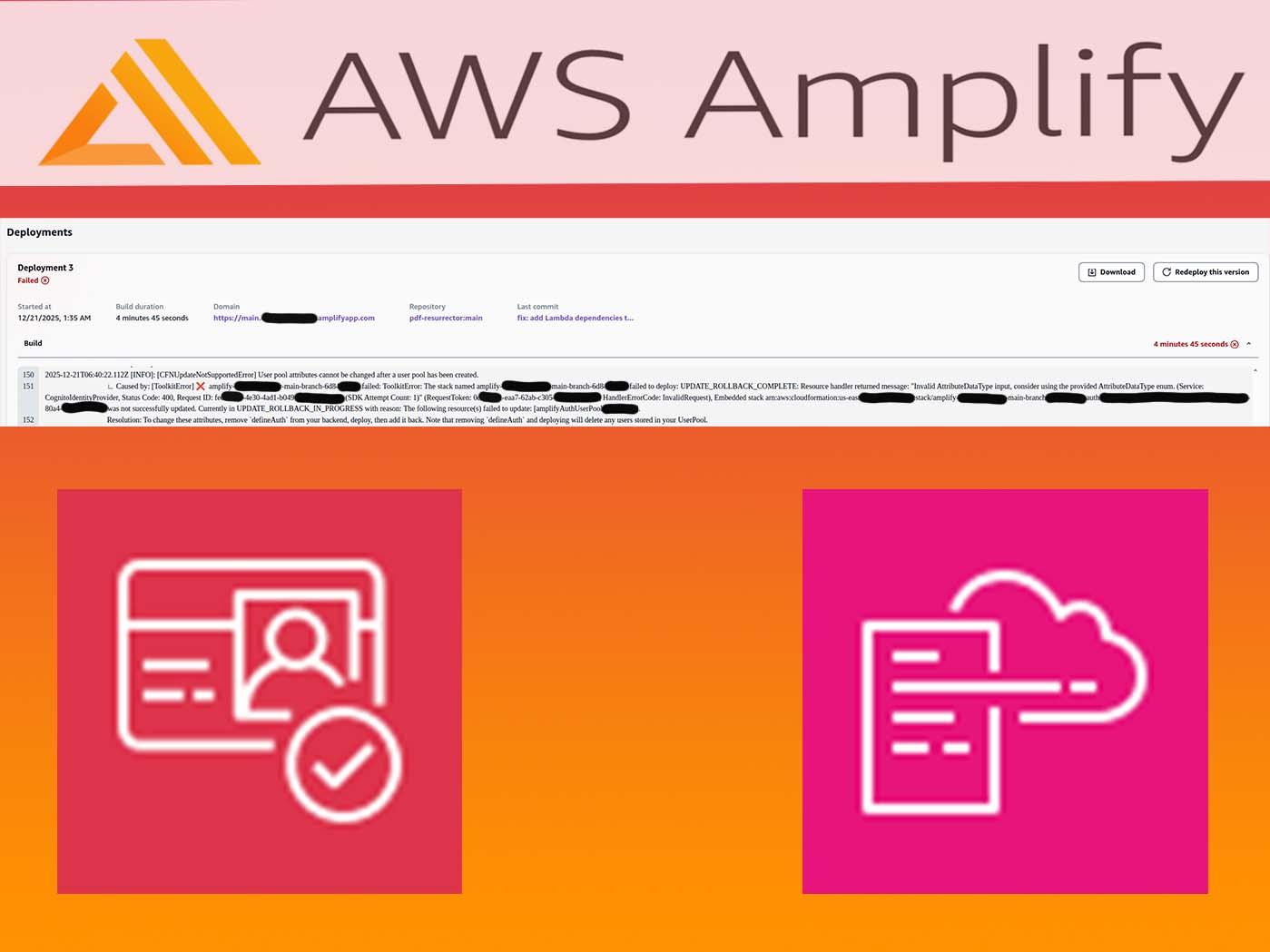
If you've ever seen this error during an AWS Amplify deployment, you're not alone:
[CFNUpdateNotSupportedError] User pool attributes cannot be changed after a user pool has been created.

Resource handler returned message: "Invalid AttributeDataType input, consider using the provided AttributeDataType enum."
This error stopped my production deployment dead in its tracks. Here's what happened, why it happens, and how to both fix and prevent it.
The Scenario
I was working on an AWS Amplify Gen 2 project with branch-based deployments. My setup:
mainbranch → Production environmentpdf-transcriptbranch → Feature development
The feature branch deployed successfully. I merged it to main. Then... deployment failure.
Root Cause: Cognito's Immutable Schema
Amazon Cognito User Pools have a fundamental limitation: certain attributes cannot be modified after the User Pool is created. This includes:
- Standard attribute requirements (required vs optional)
- Custom attribute definitions
- Attribute data types
- Some attribute mutability settings
When CloudFormation tries to update a User Pool with incompatible attribute changes, it fails and rolls back.
What Changed in My Case
My main branch had a simple auth configuration:
// Original main branch
export const auth = defineAuth({
  loginWith: {
    email: true,
  },
});
The feature branch added user attributes and groups:
// After merge from feature branch
export const auth = defineAuth({
  loginWith: {
    email: true,
  },
  userAttributes: {
    email: {
      mutable: true,
      required: true,
    },
    preferredUsername: {
      mutable: true,
      required: false,
    },
  },
  groups: ["ADMINS", "EDITORS"],
});
The main branch's User Pool was created without preferredUsername. CloudFormation couldn't add it to the existing pool.
The Error Explained
Let's break down the error message:
UPDATE_ROLLBACK_COMPLETE: Resource handler returned message:
"Invalid AttributeDataType input, consider using the provided
AttributeDataType enum."
This cryptic message actually means: "You're trying to change User Pool attributes in a way that Cognito doesn't allow."
The resolution hint in the logs is actually helpful:
Resolution: To change these attributes, remove `defineAuth` from your
backend, deploy, then add it back. Note that removing `defineAuth` and
deploying will delete any users stored in your UserPool.
Solutions
Solution 1: Delete and Recreate (No Users to Preserve)
If you don't have users in the affected environment, the fastest fix is to delete the CloudFormation stack and redeploy:
# Delete the stack
aws cloudformation delete-stack \
  --stack-name amplify-YOUR-APP-ID-BRANCH-NAME-HASH \
  --region us-east-1

# Wait for deletion
aws cloudformation wait stack-delete-complete \
  --stack-name amplify-YOUR-APP-ID-BRANCH-NAME-HASH \
  --region us-east-1

# Trigger redeploy from Amplify Console or:
aws amplify start-job \
  --app-id YOUR-APP-ID \
  --branch-name main \
  --job-type RELEASE \
  --region us-east-1
Solution 2: Two-Phase Deployment (Amplify's Suggestion)
If you need a code-based approach:
- Remove
defineAuthfromamplify/backend.ts - Deploy (this deletes the User Pool)
- Add
defineAuthback with new configuration - Deploy again
// Phase 1: backend.ts without auth
import { defineBackend } from "@aws-amplify/backend";
import { data } from "./data/resource";
import { storage } from "./storage/resource";

defineBackend({
  // auth,  // Commented out
  data,
  storage,
});
Solution 3: User Migration (Production with Users)
If you have users you need to preserve:
- Export users using Cognito's export functionality or a custom Lambda
- Create a new User Pool with the correct attributes
- Import users to the new pool
- Use User Migration Lambda Trigger for seamless authentication during transition
// User migration trigger example
export const handler = async (event) => {
  if (event.triggerSource === "UserMigration_Authentication") {
    // Verify user in old pool
    // Return user attributes for new pool
    event.response.userAttributes = {
      email: event.userName,
      email_verified: "true",
    };
    event.response.finalUserStatus = "CONFIRMED";
    event.response.messageAction = "SUPPRESS";
  }
  return event;
};
Prevention: Best Practices
1. Plan Your Schema Upfront
Before your first production deployment, define ALL attributes you might need:
export const auth = defineAuth({
  loginWith: {
    email: true,
  },
  userAttributes: {
    // Include everything you might need in the future
    email: { mutable: true, required: true },
    preferredUsername: { mutable: true, required: false },
    givenName: { mutable: true, required: false },
    familyName: { mutable: true, required: false },
    phoneNumber: { mutable: true, required: false },
    // Custom attributes if needed
  },
  // Include all potential groups
  groups: ["ADMINS", "EDITORS", "VIEWERS", "BETA_USERS"],
});
2. Use Separate Amplify Apps for Environments
Instead of branch-based deployments to the same app:
pdf-resurrector-dev    → Development (feature branches)
pdf-resurrector-staging → Staging (pre-production testing)
pdf-resurrector-prod   → Production (main branch only)
This completely isolates User Pools between environments.
3. Test Auth Changes in Sandbox First
Always run locally before pushing:
npx ampx sandbox
This creates an isolated environment where you can catch schema conflicts early.
4. Use Infrastructure as Code Reviews
Add auth configuration to your PR review checklist:
- Auth schema changes reviewed
- New attributes are additive only
- Tested in sandbox environment
- Migration plan documented (if breaking changes)
5. Document Your Auth Schema
Maintain a living document of your auth configuration:
## User Pool Schema (Locked)

| Attribute         | Type   | Required | Mutable | Added |
| ----------------- | ------ | -------- | ------- | ----- |
| email             | String | Yes      | Yes     | v1.0  |
| preferredUsername | String | No       | Yes     | v1.0  |
| givenName         | String | No       | Yes     | v1.0  |

⚠️ DO NOT remove or modify existing attributes
✅ New attributes can be added (optional only)
What Cognito DOES Allow You to Change
Not everything is immutable. You CAN modify:
- Lambda triggers (pre/post authentication, etc.)
- Password policies
- MFA settings
- Email/SMS templates
- App client settings
- Domain configuration
- Adding new optional standard attributes (in some cases)
Conclusion
Cognito's immutable attribute design is a trade-off for data integrity and security. Once users exist with certain attributes, changing the schema could corrupt their data.
The key takeaways:
- Plan your auth schema before production launch
- Use separate environments with isolated User Pools
- Test auth changes in sandbox first
- Have a migration strategy for production changes
This error cost me an hour of debugging and a deployment rollback. Hopefully this post saves you the same headache.